Wednesday, December 22, 2010

Access Desktop Remote Desktop Access

Remote Desktop Software packages enable clients for connecting diverse computers, and such connections current a array of benefits. Since remote desktop software programs connects computers regardless of wherever these can be found within the world, utilizers may take manage of their home device from your distant one; this enables them to entry any had to have file for either business or leisure and to fix troubleshooting matters from an outside computer. Importantly, remote control desktop software programs can likewise turn into useful for folks who want to look at over their kids or for anyone assisting or educating others to make use of computers.

Proxy Networks


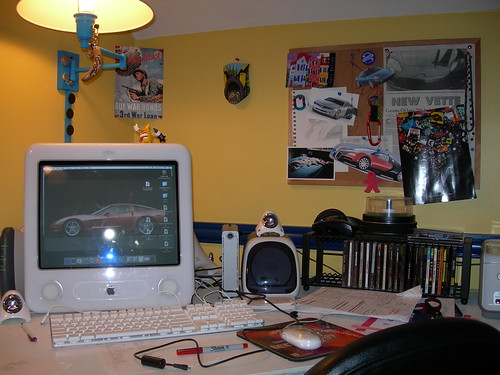
computer and desk by pilotace5691


Accessing data ‘on the GO' happens to be obligatory section of an Individual's daily activity out of which his desktop documents have most crucial data. FileReflex will allow for clients of smartphones to get admission to their desktop documents on the GO. By employing only FileReflex you can see a growth in your company and may move your company to next level.


iPhone customers can easily view of all their documents, whether they are Phrase files, Excel, PowerPoint or essentially another file type. FileReflex helps varying file codecs for example DOCX, DOC, XLSX, XLS, PPTX, PPT, TXT, PDF, HTML, JPEG, BMP, PNG, TIFF, MP4, and MP They can likewise collaborate with colleagues, contribute files and print to a remote printer employing only their iPhone. Unlike there utilities that need you to do not forget to add your documents on every occasion you modify them, FileReflex immediately keep the files and files within the cloud.


FileReflex will quickly make many significant updates to its iPad and iPhone apps, based on the announcement from karya technologies. As opposed to most file sharing services, FileReflex is oriented toward business productivity. Users may collaborate on work projects, for example by allocating tasks and accessing their documents. The service also venues a powerful emphasis on safety through encryption and customizable permissions. FileReflex can likewise keep track of any changes that might happen to files. This feature is especially useful, as it also permits clients to revert back to preceding editions which have been archived using cloud storage, which quite simply usually means saved via the internet instead of one specific, bodily location.


FileReflex Apps for Speedy Books and iTunes will be around quickly in our FileReflex Apps Store. We are proposing so as to add more apps to FileReflex Apps list such as QRCode and Word Edit etc. You can certainly research and install it proper from your very own FileReflex desktop.


Find out the secrets of access desktop here.
Andreas Noxon is your Access Desktop expert who also reveals information heavy equipment management software,creative writing software review,spam blocker exchange server 2003 on their site.

Thursday, December 16, 2010

Significance Of An Organization Using Effective Systems Management

There has been an increased demand for effective systems management as result of wide usage of information systems in business operations. It is therefore, important that a business has an effective server system so as to be able to run business activities with ease. A few seconds of a downtime could lead to huge ramifications for a business, in terms of loses. Having a server that is up and running is one way of avoiding such occurrences.

The concept basically revolves around a thorough scrutiny of information systems in business to ensure that they are up and running. This involves the acquisition of proper peripherals and software so that they can be used in the appropriate areas. They are then assembled and maintained using the latest updates to ensure that all the set goals are met at the right time. In simple terms, the major role it plays is to ensure that a business operates within a secure, reliable and easy to maintain IT atmosphere. The management also includes managed services, hosting services, as well as IT monitoring services. The monitoring services ensures that the day to day operation of IT systems runs smoothly. This enables one to put all their focus on the most important aspects of the business.

Hosting services includes the assembling the server and the system in a way that meets the set business goals and within the budget. It also includes the management of the server to ensure that it works optimally, system networking and also the installation of powerful anti virus software to ensure maximum protection.

The major benefit wrought by this management is the fact that a business is able to cut down on operational costs because there is less wastage and few cases of redundancy. The business is also able to run on legal software with strict adherence to set standards.

Businesses that operate in the area of technical development benefit a lot from this kind of management because they are able to run efficiently and it also makes it easy to buy licenses. It allows for proper security and data security because it allows for the use of advanced IT solutions. In addition, it increases the efficiency of networks and computer peripherals because it makes it easy for the detection of technical problems. Many businesses nowadays opt for third party firms to undertake all the tasks related to networks and the installation of systems. The best thing is to look for a reputable IT services firm who will be able to professionally handle all the aspects of the work. The providers always guarantee consistency and accuracy when it comes to the handling of various programs. There are also those that provide the business with domain experts and systems administrators who will be handling all system or networking problems.

Having a reputable IT services firm allows for the elimination of site system administrators. It also ensures that all business operations are efficiently running and that the infrastructure is at its best for improved efficiency. A business or organizations can also get tailor made solutions to as to address the information systems management needs of the business.

Friday, December 10, 2010

How To Handle The Purchase Of Software Inventory Control Applications

Although supplies management applications can help streamline inventory management, the price for most small businesses is out of reach. If the owners opt to do away with application purchase, they will have to keep up with the struggles of keeping current records of the available supplies. So which is the way out? The answer is to get a small business software inventory control program.

These applications are categorized as small but they have the fundamental utilities and attributes available in superior software. The attributes are reduced to adapt to the cost and requirements of a small business. This allows the entrepreneur to manage complex information at a cheap price.

When making such a purchase there is need to look carefully into some aspects such as how a business can find it possible to reap benefits through supplies control systems. In several businesses, this kind of technology is vital to them business because clients are likely to remain loyal to the business and return for their future needs if they find all their needs can be catered to. These businesses will, in turn, be able to keep up to date on their own inventories and can seek replacements well in time, thus keeping their clients satisfied.

One needs to determine which category ones business may be included in so as to decide what their requirements would be. Use of Supplies applications is very useful in retail businesses as there may be certain items that sell out very rapidly and will need to be replenished as fast as possible. Should one fail to keep up with the pace of replenishment of items that are falling low on the supplies, the business may well lose out when customers find alternative suppliers.

One also needs to view the costs of purchasing applications for supplies management. In attempting to go for a cheaper one, very useful features of the more expensive ones may get missed out. So while the choice remains on which program to purchase, there is every need to make sensible choice by not allowing price to be the main factor to go by.

When you invest in such a skeleton program, you will be able to handle most of the basic functions. However, you should note that your business will grow one day. This will necessitate migration to a better system to accommodate new requirements. This will require additional investment.

Lastly, the accessibility of the stock management system is also an important factor. Accessibility does not just signify purchasing the system. It also translates to availability of supplementary attributes for example support from the vendor or even software version updates. Support is very crucial as issues with the application can be catastrophic to your company, which will depend a great deal on the program.

As such, when making plans to procure a software inventory control program, one of the primary essential benchmarks should be your companys business model. With reference to your present business capacity and the planned growth of it, you should be able to select between a minimal program and a higher-end program. This should be considered along with the other aspects to come to an appropriate resolution. Always remember that prior planning can avoid a waste of time and money.

Thursday, December 9, 2010

The Appropriate Utilization Of Remote PC Access Software Programs

Sometimes, you're not near your computer, and you just need something on it. Or you want to let a technician into the inner workings of your machine, so that they can figure out what's wrong with it. People in either of these situations can benefit from having some form of remote PC access.

Basically, remote access programs allow you to enter your computer's files and software from another physical location. This includes things like modifying and reading files, playing media, and adding and deleting software-- almost anything that you can do when sitting in front of your computer. There are controls that can be placed on the software, however, which allow you to access only certain components remotely.

There are older versions of remote access software made by Microsoft for their computers, as well. Starting with Windows 2000 and XP, there is a remote desktop feature built into the operating system. But these programs are noted for being difficult to set up and use, and are not generally recommended. Many free remote-access software downloads are recommended over the built-in Microsoft program in these older operating systems.

There are various reasons why remote access software can be useful. One is the ability to compile important information such as files and data on a single computer, and then allow access from other people in various locations who are all working on the same project. This can allow the possibility of a company or office where the people are not in the same physical location.

Being able to allow technicians to access your system remotely and figure out the problem for you can also be a great reliever of headaches and wallet-aches. The price for a remote consult is often much less than that of a hands-on diagnosis, and can be just as accurate. This also allows online and phone technical service to figure out the problem without the tedious process of relaying instructions and information back and forth. Various versions and brands of remote access software were created to work on different operating systems. This is usually the system on which they perform the best, even if they have been adapted at a later date to work on more types of computers. Do enough research to be sure that the program you want will work well with your OS.

Having remote software on your computer can open it to unwanted access by foreign programs, such as viruses and other bugs. To avoid catastrophe, it's always a good idea to back up your computer right before installing remote access software. If you don't plan to use the software repeatedly, it's worth considering whether to remove it and wipe and restore your computer after you are finished with it.

The good parts and the bad parts of remote PC access software make the decision easy for some people, but most will have to think about it for a while. If you truly need the functions of remote access, the risks may be worth taking. If you can do without, then you might find more peace of mind by not using it. If you do install or run any kind of remote access software, make sure to keep your antivirus software updated.

Wednesday, December 8, 2010

Common Considerations With Network Security Software For Business

The internet and networking world of today is one that is filled with an amazing amount of advancements and capabilities that all provide an incredible product offering. For quite some time, this has been something that countless businesses have been very reliant upon and has allowed for an incredible ability of service offerings that are also filled with a large amount of threats. As this is a large and growing concern of businesses today, there is definitely the need to understand the features of network security software for any business.

Businesses quite often rely very heavily on their networking systems to remain connected to one another as well as ensure that their information gateway is kept as safe as possible at all times. This importance will only increase over time as businesses become more and more dependent upon finding the necessary information systems required for further enhancement and advancement overall. Thus, one should ensure they keep their network as safe as possible at all times.

With network services, there truly are an incredible level of threats that exist today which compromise security and makes for an overall growing and large issue to overcome. The marketplace of security suites and systems is rather robust in offering and all offer up and promise varying degrees of success in providing top notch security. Thus, quite often is very serious in overall consideration as well. The network security software systems that are often used and found truly create an incredible firewall appeal. For the most part, this is something that is created and founded upon not allowing anyone into the network without proper and permitted access. Usually effective, some of these firewall systems are incredible enhanced and secure overall. Many software services, if not most of them, also offer up a host of auditing trails and systems that ensure the integrity of the security is as solid as it possible could be at all times. This is definitely something that creates an alluring appeal to diversity overall. Thus, one should ensure this is always the case during any period of time.

Some of the more enhanced systems in existence today are also able to test their own vulnerability throughout the course of operation. This is definitely a process that helps keep it running as effective and smooth as it possible could. This makes it very preventative and fully functional at all times.

Monday, December 6, 2010

Internet Security Software Keeps Your Identity Safe

Getting to the bottom of your internet security software requirements can give you the protection you desire. One must consider that while keeping their system running effectively is important; their identity should gauge just as high on their list of priorities. There are a number of reputable programs that can give you the best of both worlds.


There have been over 1 million viruses released over the Internet and is believed to be the primary concern for malfunctioning computers. The problems this present are high risk for identity theft and non-responsive programs. When one should find themselves experiencing problems with their equipment a diagnostic check is in order. Computer hackers are very real and busy as they search a number of systems for weaknesses that will allow them to gain access to your personal information. This will provide a much-needed security against identity that; which is one of the most lucrative crimes on the web. Knowing that your personal information is secure begins with the type of program you employ.


Viruses are so powerful that it is common for you to hear about them in very as media outlets. One of the main reasons why this gets so much attention is because everyone in some form or another are linked together. A massive e-mail can wipe out the lifespan of a number of healthy systems with just one click of a mouse. One of the best ways to avoid this is not opening e-mails from others that are unfamiliar to you.


Every computer comes with a variety of programs that are specific to the makeup of that particular brand. When you want additional programs you should not purchase from sources that cannot give you a guarantee on its performance. This is one added step that can help you keep unwanted viruses and bugs at bay while keeping your system running at an appropriate speed. Encouraging your loved ones who might be intimidated by technology to become familiarized with the advantages can be very rewarding. This is especially true for grandparents who might live at a distance and want to stay connected. There are a number of safe software systems that can make process easier for them to understand. It is also important to help them understand the dangers of spy ware and viruses. Your family should have access to a PC that will allow them to explore the world of technology when they desire to do so. It would be a great idea to have rules and regulations to maintain the stability of your equipment. This can be achieved by holding a family meeting where everyone is given an opportunity to understand the dangers of viruses.


Once you have established the type of internet security software you need your valuable programs are fully protected. The main objective of this project is to secure your data and your identity to prohibit you from being a victim. One should go to any length to ensure that their rights are protected as they enjoy advanced technology.

Friday, December 3, 2010

Network Management Computer

The focal point of this series on technologies management is not exclusively to educate aspiring technology professionals, but to make a better comprehension of technology subjects from various factors of view.


Network Administrators


The most important locale of community marketing is routing. Routing is the method in which individuals choose a path inside a worktop computer network which can be employed to send data back and forth between computers. This community of community management concentrates on using only nodes, or more oftentimes they're stated as routers, to give logically addressed packets of data from their supply to their destination in a process called forwarding. Which is normally done via the use of routing tables which keep up a record of the most efficient routes on which to move the information.


lot of progress has been manufactured in the final decade on flattening the frequency and severity of e-mail based virus attacks. Of course, a good number viruses have historically been and are spread by email attachments. That's why everyone tells you in no way to open an unknown attachment. In fact, safety experts say to by no means open attachments that are unforeseen period, even opening attachments from an individual you recognize may well be done with precaution as a result quite a few viruses may well be forwarded inadvertently by well meaning friends.


Coming to Community Monitoring, it really is about policing community traffic. In other words, community monitoring is spying for the benefit of clean working of community management. Network monitoring is part of community management. Ideally community monitoring is a function that certainly one of your systems have got to carry out on an on-going basis. Whilst the other platforms are performing the capabilities assigned to them, just one should set aside not less than just one pc to watch network activity. It is community monitoring in a nutshell.


As a manager in a outlet by using a sale in a single branch would send more staff members to that department, a community administrator will ship much more sources to those parts of the community may well be being used at a higher rate at any provided with time.


There are many goods that aid some or perhaps all of these areas of network management. What most community management methods have in usual is their use of protocols such as Easy Network Administration Protocols (SNMP), SNMPv3, and Common Management Facts Protocol (CMIP). You will discover a variety of Network Management tools starting from Intuit's Network Administration Program to IBM's Tivoli, Fidelia's Helix to AdventNet. Possibly your network management answer doesn't include a system that improves merchandising equipment prices as the warmth rises, but you are able to undoubtedly find what you require among these and other wonderful equipment on the market.


Device Management
This describes the maintenance of a database inventory that lists all campus and WAN devices, modules, serial numbers, IOS versions, hosting service documentation and design. It really is necessary that businesses maintain facts on these assets for aid and warrantee issues.


Discover more about network management here.
Anamaria Veen is our current Network Management specialist who also discloses information john ericsson,unusual computer devices,microsoft security updates on their own blog.

Thursday, December 2, 2010

Now That You Are Starting To Compete In Business, You Need Desktop Management

Every business that succeeds grows, and as it grows their communication and information technology needs grow. Step by step a computer finds its way onto each desk in the office as each employee strives to stay at the leading edge of the business. Keeping these computers in touch with one another and properly maintained requires skilled desktop management.

The term certainly sounds like an effort to get employees to adopt a clean desk approach to office work, but that would be erroneous. The goal is to create a network of computers that allow employees to interconnect and communicate to foster the synergy of group approaches to problems. The network also serves to eliminate a fair number of meetings, which tend to increasingly eat productive hours as the number of employees increase. Setting up a system that allows the employees to communicate with one another and their clients from anywhere and at anytime makes them much more productive and efficient. Information can be transmitted literally instantly to all employees simultaneously. Individuals who are on a trip, on holiday or sick can still get the information on mobile devices or at the latest when they first step back into their office. One of the drawbacks to the new dependence on information technology is the cost of software and the licenses for multiple computer use. There is little a company can do as the programs need regular updating in order to stay current and to avoid security problems. The least expensive way to run a network is to have a central hub from which all the computers can be remotely cared for.

The centralization of computer care makes them more efficient in a number of ways. First and foremost, it allows the company to be sure that all the computer products are compatible, which can save a lot of embarrassment and loss resulting from data which can not be presented. It also ensures that all the software in the system is standard, meaning that there are no special programs that individual employees may have fallen in love with.

Software is not always as easily installed as we would like, even those which tout a plug and play platform. Inevitably there are some machines display complications with compatibility with the configuration in place, almost the way some people present with allergic reactions to medicines most tolerate well. Dealing with these complications can cost many man hours when preformed by the average worker who maybe skilled with using the computer, but not necessarily with servicing it. This method of maintaining the information system also helps preserve the integrity of this process, which is often sabotaged by well meaning and hard working employees who mean well. Invariably employees have experimented with a wide variety of programs on their home systems, and often grow quite fond of specific capabilities. In the attempt to either use the same productivity in the office or the desire to share their favorite program, they introduce these favorite programs to the work system.

One of the most insidious of ways company information systems networks become infected or otherwise disabled come from industrious employees themselves. Hard driving team members are tempted to take work home with them, where they use their home computers to add quality and value to the work, then they bring it back to the office. Unless they are unusually careful at home, there will likely come a time when the desktop management team will have to untangle the system from some malicious program that piggybacked in with some legitimate work via thumb drive.

Tuesday, November 30, 2010

Benefits Of Access Remote Pc Software To A Company

A personal computer is something that is important either at home or at the work place. Most people rely on computers in their day to day life especially to work. The computer helps a person to carry out all their tasks anywhere that they cold be located. Therefore, installing the access remote PC software is inevitable for those people that rely so much on the computers. The software's main purpose is to make the work of working with other people who share data to be easier.

The software is a type of package that is used to help in accessing all the other computers that will be within a particular network. All the computers will be connected within a certain network and the work of sending and receiving files will have been made to be very easy. Apart from this, there will be other advantages that the software will have, but one has to first understand how it will be installed in the computer.

This allows everyone whose computer is within the network to be able to send and receive data to other people that ware within the network. The person monitoring will also be able to see all the activities that are going on within all the computers. Very many people have benefited from the software and have derived many other uses for it. People that use it for their own personal use can do so without having to be at the residence. One can register for a web based client support. This will trouble shoot all the information in whichever location one will be in. For it to work, the personal computer or laptop will have to be also registered.

There are so many companies that use the access application in the work place. The main branch of the company will be able to send and receive data from all the other branches any time they want to. It also makes it possible to send all the important and confidential files without having to send representative to the branch. The main branch will also be able to monitor all the activities of the branches very easily.

Different people will give different information regarding all the many varieties of the software that are there in the market today. The important thing to do is to have the software that will be most compatible with ones computers operating system. Not all software's will be compatible and one can check with the software manufactures whether the software will be compatible.

Access remote PC software is being used at home and at the work place as an easier way of sending and receiving information. It is also used by people who are travelling to send emails and any other document. Majority of employees also have the soft ware installed in their personal computer so that they can use it at home instead of having to go back to the office to do something urgently.

Monday, November 15, 2010

A Little Overview Of Software Patch Management For The Layperson

What in the world is software patch management? Well, simply put - it is just as it sounds. It's a software "patch" used for "patching up" or fixing something in your downloaded software - or in your computer system itself. It works a little like a patch for a bicycle tire, but it is a wee bit more complicated than that - and a lot more technical.

But don't worry if this type of "fix" is confusing to you - you aren't alone. So, if this subject interests you, please keep reading for a brief overview of it, and a few examples of the fixes themselves:

First off, your personal computer and game console probably already comes with some form of built-in "fixes" that were embedded into it when it was made. This "ingrained patch management" keeps your laptop, desktop computer, or game console - and all of its software - running smoothly. Patches are also created to "fix" problems that happen internally - things like computer "glitches" that suddenly occur just from turning on the machine. However, patches are also created to vanquish any nasty viruses your system gets exposed to.

In fact, anyone who owns a personal computer with previously installed programs on it, has already has been exposed to one good example of a patch - and probably more than once. This is in reference to those automatic updates that you undoubtedly recall getting alerted to when you are online. Of course, these alerts usually occur while you are middle of doing something important - and when you get them, you know you will have to close out all your programs and restart your computer so they can install correctly.

Yet another example of a patch is the one that many a computer user has run up against, while online. You probably have had this happen - you are in the middle of something important, and your computer program suddenly closes! Then up pops a message that tells you "an error has been found and the computer will try to fix it, then get back to you". If, a few minutes later, you are lucky enough to get a message telling you that the problem has been corrected, you usually have a patch to thank for the repair.

Then there are the gaming and other miscellaneous software that come with the patches for anticipated problems already included in their programs. So, if something goes wrong with the software, it will be fixed immediately - internally. Plus, many times the gaming or software manufacturer will also include any new "patch" updates in your purchase agreement - and these are usually sent to you via the internet or your email account.

Moreover, it it usually possible for a person to go online and find updates and "bug" patches available as free downloads - right from the manufacturer's website. But be aware that there is a danger in just "hitting the sites and downloading" without knowing what you are doing. If you just do this haphazardly, and you are uncertain of what the correct version of the software is for your system, you could inadvertently damage your system in some way.

So now you are a bit more aware of what software patch management is, as well as having been given a few examples to clarify the topic. If you'd like more information on this subject - or you'd like to try and find a patch for your own software - just hit the internet, and do a search on the subject!

Friday, November 12, 2010

Cutting Edge Network Monitoring With Software Network Management Systems

Digital networks are the life blood of contemporary business in the digital age. Digital networks are the skeleton of contemporary business communication systems. Nothing is more vital to the survival of the contemporary business than efficient and well managed digital networks. The success of your enterprise can not afford second-rate administration of your computer networks. It is imperative that administrators of corporate computer networks apply the most sophisticated and advanced methods of network administration. Investment in software network management is warranted.

Network management should include a mapping device that documents and monitors the entire network. Topology will be clear with a better understanding of device interconnections. It is quite important to have instant knowledge of the entire network via a mapping tool. A mapping function will give you an immediate and constant visual map of your entire network.

System operators are given tool kits to assist in routine daily assignments. Monitoring, diagnostic, and troubleshooting jobs are packaged together to expedite daily task scheduling. System operators will follow an automated computer generated task list. Such an application will make the job of system operator much easier. Continual education and training sessions will promote a continuous environment of improvement. Flow monitoring provides data regarding network traffic bottleneck. Flow monitoring provides a constant flow of data regarding bandwidth consumption by protocols and applications. Flow monitoring keeps the network operations flowing smoothly. Monitoring enables your network to maintain acceptable operational capacity. The monitoring functions must provide a ongoing stream of operational information to expedite network management. Analytical tools that can filter, view, query and report about network event log activities can be very useful in providing stable network administration. Event log data and other data provided by the network system can be imported into relational data bases and used in spreadsheet reports. This data is very useful. It can be used to fine tune network administration and, thus, achieving optimal network operations.

Automate daily repetitive tasks with a scheduling system. Schedule file backup, file restores, storage management, change control procedures and many more. Scheduling automated tasks keeps network systems operating smoothly and with utmost integrity. Scheduling automatic daily routine tasks frees more time other activities.

A behind scenes program running in the background is constantly seeking potential problems. Twenty-four hour diagnostic review of event logs will warn you of potential trouble. Begin to address issues before they become problems. Minimize network system downtime. Operate a smooth running error free digital network. Network managers who have been using diagnostic tools report that they can not imagine running a network without them.

The design and implementation of software network management is critical to your business's survival. It is an area the warrants investment in infrastructure and software. A management system that is robust and state-of-the-art. Let us review are required specifications. Mapping the topology of the network with a mapping application. An engineer's network toolkit providing crucial diagnostic monitoring tasks. Flow monitoring functionality to maintain operational standards. Statistical analysis event log data communicated through a sophisticated reporting system. Visit the main web site to receive complete specifications. Participate in user groups and blogs to gain an industry insider view of the professional network administrator world view.

Thursday, November 11, 2010

Benefits Of Remote PC Management For Quality Business Operations

A business enterprise that has the capacity for remote PC management of its computer systems is always at a very great advantage. This is because this creates a platform that ensures the smooth running of the business. There is also a significant reduction in overheads that are always associated with systems maintenance and operations.

People operating small enterprises find this kind of management quite effective because they are spared the pains of moving from one office to another in order to get the required information. They are also spared the expenses that come with inventory taking, updating the software as well as replacing broken down systems, which is very common in many organizations. Adopting this new technology helps in saving money on expenses that are incurred by having on-site technicians. This is because it is possible to access the technicians through the phone when their is a problem with the system as everything will be explained via the phone. One will also be able to monitor all the system functions that have been put in place for the proper running of the business.

The market has now rolled out systems that are very instrumental in helping businesses possess the modern operating systems with the ability to control computers that are remotely located. This thus makes it incredibly easy to access information concerning a certain user or PC. All those who have the permission are able to locate data in any section of the company. With this a management system is created so that the contracted services providers maintaining the networks are able to share information with the company's managers.

This goes a long way in helping the IT managers to concentrate on other more important tasks within the company such as the development and deployment of the latest applications. Another additional benefit of managing pc on a remote basis is that some of the service providers are always at hand to perform all the management tasks that are given to them.

It is also important to note that those using the PC on the desk still stand to benefit from the applications featured in the PC. It is advisable to allow those computers that are used on a regular basis to be allowed to run in the office to enhance good performance. It is also possible to incorporate the use of laptops with the system. The use of laptops means that workers will be able to move around with them when they need to work remotely. Most of the users that remotely use PCs usually perform jobs that are task-based. These include site engineers, clinical staff or even parking officers. They are thus able to gather data much faster and then send it to a centralised place for a thorough analysis. The benefit is that they are able to access centralized data in a wide area networks with much ease.

Remote PC management helps in running the technical support functions that are always reserved to system technicians. It is also very instrumental in the definition of process updates as well as that of viruses that always require them to be keen, Having to wait for the updates might ruin the system but this kind of management is very important in ensuring that all the virus updates protect the system.

Wednesday, November 10, 2010

Approaches Remote Desktop Management Upholds A Well Working Business System

Using remote desktop management software can help you control the computers in your network from a central location. The IT team can access all the computers in a company's network from a centralized station through a remote computer. This makes system troubleshooting, repairs and maintenance more coordinated and efficient.

The process of installing new software into the computer or new hardware takes time and eats into the business time. Organizations are forced to close down for sometime as they carry out system upgrading. Engaging the services of a remote service management IT specialist can help you upgrade the system and install new software and hardware without interfering with the day to day activities. Hence, the business is able to provides services to the clients with minimal disruptions. The remote IT control station acts as a central laboratory where all computers in the network can make a call and have a problem diagnosed and sorted out. The user needs to send a distress message to the server. The computer technician will be able to get the message and in turn opens the malfunctioning computer from the remote computer.

The system offers software and virus definition updates and provides active backup programs to all the networked computers. This is effective in handling time sensitive updates such as those of antivirus software. It ensures that the system have updated virus protection and eliminates system crash. Access to the latest versions of programs enables organizations to take advantage of additional features that come with the improved program version. There is no need to set up a large IT department which may increase the workforce burden to an organization. This can be solved by setting up a server station with a reduced number of IT experts who will be responsible for system maintenance in the organization. All the networks are connected to this server and can be monitored from this point. The organization enjoys cuts on its expenditure in terms of a reduced payroll and a manageable premise. The few technicians are also able to offer more as they save time which would have otherwise be spent moving from one office to another.

High costs of maintaining an IT department may hinder an organization from accessing quality services. A large IT department housed in an organization's premises may add to the expense of acquiring extra office space. The remote management software can consolidate the services provided by the IT department to tasks that can be managed by a lesser workforce cutting on the salaries expense. A centralized work station reduces the office space required. Technicians have an easier time repairing and maintaining computers through the remote computer. This is because they can obtain information on the history of a problem from the processes executed by the user with exactness. This makes the trouble shooting quick and productive as the solution is based on correct information. The technician can also detect harmful processes that the user may have executed and advice accordingly. A technical department using the remote desktop management software can service computers in the network without directly involving the users. This enables them to repair and maintain the machines after official business hours reducing work interruptions. The problems arising from any machine in the system can be communicated on time through a high speed of communication provided by the software. This enables prompt corrections and avoids long delays which may affect the operations of the business.

Tuesday, November 9, 2010

A Few Pros Of Using Remote Desktop Solution

The modern workforce is not about sitting on the desk and doing the regular eight hour job. It is about being able to work anywhere, anytime and still get things done. The modern workforce also has realized the importance of work life balance and hence prefers to have the option of working from home on some days. When posed with all these new demands, most companies need to find an alternative to deliver the ideal working conditions to their employees. This is where the remote desktop solutions become invaluable.

The remote desktop is a solution in which the personal desktop of the employee can be accessed remotely. Every employee has a customised desktop where they store their useful information. They are so used to it that not working on their machine could even bring down their productivity. With this unique solution, the employee can access their desktop regardless of their location. There are many advantages of using this approach to desktop access. Sometimes, there are emergencies at home when the employee needs to stay back. On such days, traditionally, the employee would have to take a leave. This not only reduces the employee leave records but also means one less productive resources on that day for the company. Through this solution, the employee can attend to the domestic issues while staying in touch with the regular work.

Besides home issues, many times the employees could waste a lot of time travelling too. This is very true for the sales people. Traditionally there was a term called the suitcase time used with most orders. This was the time in which the contract was enclosed in the suitcase of sales person waiting for processing. Through these solutions, the suitcase time can be eliminated. The salesperson can immediately start working on processing the contract.

Many companies are sceptical about remote access due to security concerns. However, now there are very secure connectivity solutions like VPN available in the market. These pipes allow secure links between the remote machine and the office desktop which cannot be breaches easily.

For the employees this development means that they can pick their working location and even the working hours. This flexibility helps them deliver better and get better results. This in turn helps keep their moods and enthusiasm levels very high.

This solution is a win-win situation for both the company and the employee. The company benefits from high availability of the employees even when they are not in the office. They can also save a lot on maintenance and inventory expenses when employees work from home.

In conclusion, the remote desktop is a new and innovative concept that can help companies in many ways. This solution offers the employees the option to work from home allowing them to achieve work and live balance. It also allows the work force to be mobile and accessible anytime, anywhere. This is fast becoming a key differentiator in many businesses and markets.

Monday, November 8, 2010

Getting The Most Excellent IT Managed Services For Company Needs

It is very important for business enterprises to have a wider outlook on their search when looking for firms offering IT managed services. These companies should ensure they ascertain the abilities and drawbacks of the platforms that they are going to base their contacts centre for efficiency. The following are some of the most important considerations that need to be carefully looked into by those who want to enjoy the best services.

The service provider should be in a position to give the company sufficient control of the business and logic applications. This is because what many businesses seek so that they have the capacity to react to any imminent changes and reporting the on-goings of the networks. Always having good control of these services from external providers is always essential to any enterprise.

The service providers should also give the company the opportunity to take advantage of the current infrastructure so that they can be integrated with the newest apps instead of replacing them with the new ones. For the business to take full advantage of this, the contact centres should have the proper scaling so that companies are able to bring on board new applications. It is a necessity for organizations to run an SLA or service Level Agreement that will allow it to sufficiently meet their needs being in a position to give good performance standard and incentives. One of the most effective ways of making this a reality is to have the capacity to outline penalties whenever poor services are detected as this will ensure that services are given at their best.

It is also of utmost importance to look for a managed service provider that is in a position to offer systems that are easily deployable. This means that they should have the simplest functionalities such as directing calls, ability to handle more complex capabilities such as assisted service and self service whenever this is needed. Open technology has now become a by word in the IT industry and thus the service provider should have the capacity for closely integrating a vast variety of the existing network including many other applications. For the simplicity of this process it is necessary that one looks out for platforms with the ability for supporting several applications for contact center that are already running. This helps in easily integrating the apps, web and voice integration, Intelligent Network Integration as well as the management of configuration integration.

The major premise of the managed services is to offer excellent customer service. As a result of this, the company should be on the look out for providers who have the capability to provide businesses with service applications as well as intelligent routing of networks. A company does not ony stand to benefit from self service but the truth of the matter is that it becomes quite effective when it comes to routing of calls that need to be attended to by an agent. The advent of new technology coupled with vibrant economies has created a vent for the companies to effectively it managed services. This has helped them to take full control of their enterprises, minimize on the investment capital, bring down the cost of owning a business and improve on their services so as to remain competitive within the industry.

Friday, November 5, 2010

What Your Business Should Comprehend If You Are Considering IT Automation

People generally like to talk about the future, perhaps this because most aspects of the future are shrouded in mystery. Another thing that keeps people speculating about the future is change. This is especially the case on the business arena. When we talk of business, it is clear that one of the main driving forces behind businesses is IT. With so many things in the business arena changing, there is need for a perfect IT system that will keep up. IT automation is the best option to ensure continued success.

The need to automate systems within a system is required for smoother transactions. Even today, minute processes require manual intervention; they are still dependant on the reaction-time of the person in-charge. A system never goes wrong with calculations and processes them faster than our eye blinks. The shift in our financial markets and the linked profits depend on quick responses and constant data-tracking. Profitable mergers and acquisitions require the same timeliness and precision. IT automation is the need of the day. With quick reactions, the business processes shall become more profitable and bankable. Though an initial human effort shall be required, once the requisite data is collected, formulae and history can be quickly and constantly crunched when the systems are in place. Note that the selected system must also be capable of including any existing information from various platforms such as legacy applications, mainframes and metadata. On top of that an unmatched data flow from other areas such as suppliers and customers has to be maintained. All these are properties of an automated system that is why IT automation is the way to go.

One might argue that there is no problem with the current It systems have no problem. It is true that web services have enabled us to collect new data types from within and without the organization. RFID also promises higher levels of real time data transfers. Such data has to be collected, filtered and deciphered.

Web services have enabled most of us to collect new types of data from within and without an organization. Companies have significantly improved data collection methods, with RFID promising even higher levels of real time data transfers. This improvement, however, has generated a new set of challenges in integration, collections, filtering and deciphering.

There is a lot of scope for increased and better managed data feeding which is not being taken seriously by the people who run IT. Extra resources are hired to facilitate data flow, although much more can be done by lesser people strength and smarter management. The vicious circle of under management grows every day. So what is IT automation in simple terms? It might be very hard to define exactly what automation is. So the organization has to check the prevailing conditions for their data center model. After this they will be able to define and set the parameters. This means that automation might have different descriptions in different organizations. Setting such parameters ensures that the organization in question will set their expectations in line with achievable goals. Once the perfect automation method is identified the remaining task is to identify those components which are perfectly suited for the process. Although it is termed as the future of IT, it is important to note that the initial implementation might not be that easy.

Wednesday, November 3, 2010

Inventory Management Program: Doing The Essential Things

In today's corporate world where competition has reached to zenith, it is of immense importance to take right decisions at right times. One of the most important decisions is to select the best inventory management software, as it is vital for finest inventory management processes.

The Importance of Inventory Management Application: Irrespective of the size of your business, you will be able to make time consuming and complex tasks more manageable with the help of inventory management application. It is true that in many business enterprises most things are still done by hand on a spreadsheet. But this is not going to work well, especially if you plan to expand your business. An upgrade to inventory management software is what you need.

The Benefits: When you opt for one such software, you get a number of amazing benefits. Of all those benefits, one of the best is to be able to reduce inventory cost. Not only this, it can also improve customer service. Basically, the software is to ensure that the right amount of stock is moved to the right place at the lowest possible cost. It is due to this particular fact that the software can also reduce cost for transportation, warehousing, order fulfillment, and material handling. Moreover, you will be able to improve inventory turns and shorten routes within your distribution center or warehouse. Improved visibility, cash flow, and decision making are other added benefits of using one such software for inventory management.

Selecting the Right Software: Now you already know why it is of immense importance to switch to a program for inventory management. However, you still need to ensure that you are selecting the best software, or else you will never be able to enjoy maximum benefits. Some important features that you should check before making a purchase include the following.

Check it is user friendly or not and executes the assigned task well within timeline. This eases you without wondering to meet the deadline.

If you are opting for some software for warehouse management, don't forget to check if your software is capable of supporting wave picking and order consolidation.

Does it support bar-code and/or radio frequency scanning? This can make a huge difference in time spent on recording tasks.

Handling-unit management and cross-docking are other important features that help you differentiate between a good and an excellent software system.

Conclusion: The fact of the matter is that you will never be able to expand your business in the right way if you don't introduce specific software in your facility. Inventory management application is only one of the available systems that can help you cut cost and improve customer service. There are many others as well for store management, category management, price management, sales order management, and so on. It is your responsibility to decide what is important for the success of your business. So go over the benefits of these software systems once again and decide if you really think you can do without them.

Tuesday, October 19, 2010

IT Managed Service Providers Can Be Seriously Cost Effective Answers

Almost every business is dependent upon technology and computers to some degree. IT managed service providers are emerging in greater numbers and can take the financial burden out of maintaining a large IT department from a medium to small business, as well as make economic sense for the large business. Almost every business owner knows about managed dedicated servers for web hosting and it is a small leap from there to other types of IT services.

With almost every business dependent upon computers in some degree IT staffing costs for the business or corporation can be substantial. Services that are managed, release the owner from the necessity of maintaining a staff dedicated only to IT and instead allow them to focus on the main purpose of their business which is making money. Managed services can be budgeted for as they are predictable costs for both the provider and the client.

Almost every company has a different focus and the focus of the IT department can shift to match the needs of the individual client. More and more providers are shifting to providing managed IT services, and though there are a few obvious issues to overcome, the end result is greater client satisfaction and a higher level of service where the provider can anticipate problems using the specialized software and their dedicated staff and prevent them rather than simply reacting.

Managed services for IT are not a new concept but some resistance may have to be overcome as many clients are used to considering IT an in house problem or in some cases calling for consultants only after the unthinkable has happened such as data loss or unauthorized access. There are particular areas that are simpler to transition to because the client base understands the potential losses or complications far outweigh the fixed monthly cost of a managed service. When considering a transition to fixed services a provider should also consider any government regulations which must be adhered to as well.

Security as a managed solution is a large market and because of the specialized knowledge and software needed to provide IT security. Potential clients are highly receptive to this type of managed service. Data storage, server provision and off site data backups are also fertile grounds for managed services as the potential clients have far fewer objections to overcome when contracting for these services. This is not to say these are the only potential services possible to manage and establish as fixed costs but simply the easiest to begin with.

Managed dedicated website servers have been common for many years and most clients with a web presence view these as most cost effective. Clients of these managed services find they need only consider the needs of their business and their customers and leaving the maintenance and security of the server to professionals frees them for the tasks which make them money. It generally works well for both the client who has a fixed expense each month for hosting fees and well for the provider who has a stable income and a team of experts to help maintain the servers.

Software as a service, desktop as a service and many other IT services have introduced a new market for the provider and cost effective solutions for the business which may be required to maintain many machines and deploy software over multiple branches as in the case of a corporation. While IT managed service are not yet the preferred solution for every company they are becoming increasingly more accepted by service providers as well as companies of all sizes.

Service providers are turning their attention toward providing IT managed services to clients. The technological sector these providers target determines the amount of marketing and type of marketing necessary to be successful. Managed solutions provide benefits to both sides of the contract. The first few months are crucial in establishing customer loyalty to a managed solution.

Friday, October 15, 2010

Ways To Use Endpoint Security

Endpoint security has come out and is making a big impact on the workplace. It almost turns everything around and helps so much everyone is happy with the results in the end. This is designed for companies that have many employees. This will help the boss monitor all of the activity that is going on the internet and on employees computers. This will help if any employees are suspected of slacking off now they will be caught.

This is a new type of technology that this company has developed. Instead of automatically controlling everything through the program, it is manually controlled by the employer. It is meant to let them stop any threats that may show up with their computer instead of all just being stopped. The endpoint of the security system, or controller, is the boss. They are able to set their own rules and limits and see what every one is up to whenever they want to. They can also do if from their cell phones on the go.

This new product contains everything that you need to be protected from viruses of any kind. It contains Firewall, Anti-spyware, and firewall all in a single program. With the best version you can also get internet filtering blocking any kind of sites that you do not want visited. It is also very high performance so it wont slow down your computer in any way at all.

This new system can help you with many things that may be crucial to a company. If any of your employees are visiting sites online that are not approved and are not helping them work you will know. The tracking information will automatically be stored as files into your computer and will be saved so that you can use it at any time that you need.

People tend to follow a crowd. If a lot of people are in the same place they often tend to do similar things. If there is an employee that has decided they would take a work from break often some follow. If one decides that some games would be fun to play they may do it thinking that they are in complete secrecy. Then others will see what they are doing and think they can so they will too. This just creates a chain reaction.

With endpoint security system that has come out problems like this are guaranteed to be solved. There will no be no more wasting time or goofing off when it is not necessary. If an employee wants to check their email or they go on to a chat line you will also know. Information like this is saved too for further use when needed.

Another very crucial thing that this product can do is save info on the documents that they are doing. If they type up some documents that were not asked of them, or are not supposed to be done, this will inform you. If an employee is sending another company files that are classified and meant only for your company to see this will stop them and inform you about it immediately.

Endpoint may help an employer very much. It will make your employees work harder for you and longer. They will know that they are being tracked and will not try to do things like this. Because of this they will produce more work for you and eventually make your more money and maybe even more customers and better customers.

Keep Tabs On Your Worker Activities With A Desktop Monitoring Service

Countless studies have revealed that a majority of employees who have access to the internet during their workday spend a lot of time conducting non-work related web browsing at the expense of their employer. The result is hours upon hours of lost production and potential profits. But there is a way to effectively increase production and it comes in the form of a desktop remote monitoring service.

Chances are that you have already tried various tools and methods to encourage your employees to not use the internet for personal reasons. However, they did not help and you just ended up wasting your money. You might run a business where internet access is vital and cutting service is not an option. Furthermore, blocking websites with filtering software can have negative results when your employees are also blocked from sites they need to be able to access.

For these reasons, you may be considering a desktop remote monitoring service. These services provide professional internet monitoring and keep tabs on how much time your employees devote to productivity and how much time they spend playing at your expensive. Furthermore, these services can also be used to ensure that your employees are not accessing websites that can be harmful to your network or that they are not leaking confidential data, either unintentionally or not.

There are many tools available to choose from. Some things that a business owner needs to consider are the cost of the services, what is monitored, and how the data that is being monitored is accessed. Monitoring internet usage can be a full time job for one or more people, so the employer also needs to think about the additional manpower and resources that will be needed.

Cost is an important factor in the quality and services offered by monitoring programs. Nevertheless, do not let this deter you because as technology has become cheaper, these programs are a lot more affordable. In fact, basic monitoring programs can be found free of charge online. Other, more advanced programs can be fairly costly. Choosing an online remote monitoring service gives you the flexibility to have top of the line software support without having to pay for costly licenses or worry about upgrades.

The business owner will also have to decide on what they want to be monitored. This can range from simply monitoring what web pages are accessed and by who to detailed reports of how much time is spent on each web domain. Some advanced programs can even monitor keystrokes and all email traffic for employers to monitor the security of their network.

Desktop remote monitoring services work in two different ways. The more secure, costly method is to have the monitoring serviced connected directly to your network. This requires that you have specialists employed for the task, but it keeps all of the data on your local network where it cannot access the internet. Outsourcing to an online remote monitoring service, on the other hand, is much cheaper. However, there is a risk that the data could be intercepted by competitors to your business.

No matter what software package of service that you ultimately choose, you have a legal obligation to inform your employees that you are monitoring their activities. Otherwise, you could be breaking the law and be punished with lawsuits, fines, or imprisonment. The most effective way to make them aware of the monitoring is to have your employees sign documentation that they acknowledge and consent to the monitoring.

A great way to increase productivity and profitability in a workplace that has internet access is through desktop monitoring services. They give business owners the ability to monitor internet usage without truly restricting access. And for some businesses, the increase in profits may even outweigh the costs of these services.

Thursday, October 14, 2010

How Can Remote Desktop And Server Management Programs Influence Your Business Operations

Most businesses these days use computer networks for their day to day transactions. However, what happens if your computers network becomes disrupted? Not only will your business lose money because of this disruption but your employees will not be able to perform the tasks that they need to finish either, therefore cutting back on the productivity of your business as well. It is imperative that every business owner has an adept desktop and server management team carefully monitoring their computers networks at all times.

There are both remote as well as on-site management services that exist these days. These specific programs can help you eliminate the hassle of having to troubleshoot computer problems on your own. Most business owners, do not have the time or patience to troubleshoot every problem that could arise with their systems, therefore implementing a management system is the only thing that works for them in harsh circumstances.

There are a lot of business owners that are electing to employ remote desktop and server management teams as opposed to on-site IT professionals. There are many advantages that accompany hiring a server team that provides services from a location that is off site from your business. Keep in mind, that not all servers crash during business hours, therefore a remote team can keep a constant watch on your computers servers to ensure that they are always working at the speed and the capacity that you desire.

By managing your computers network from a remote location, you will always be able to contact an IT professional if you require their assistance. In fact, these professionals will consistently watch over your computers network regardless of what time of the day that it presently is. If these professionals notice any problems that arise within your computers network they can fix these ailments expediently.

Some on-site IT teams will require that you update your computer systems in order to ensure that your computer network is running at the speed that it needs to be. Updating your computers hardware and your computers operating systems can cost a lot of money, and it can put a huge burden on you and your company. Also, most IT techs will put limitations on what your employees are allowed to do while they are performing tasks for you.

Remote IT professionals will not require you to update your businesses computer or your current network. They will provide their assistance from a remote location, therefore you can focus solely on running your business and they can focus on running your computer network to the capacity that you desire.

Hiring an on-site team can actually be an extremely large burden on a company. Not only will the company be forced to interview IT techs for an elongated frame of time, but they will also need to ensure that they have a designated place to put them. Also, these techs will be considered employees of your company, therefore you will need to pay taxes on them and things of that nature as well.

If you elect to hire an outsourced desktop and server management firm you will not need to hire any additional employees to watch over your computers network. Typically, outsourced firms will perform the duties that you need done and they work as independent contractors. Business owners will need to sign an agreement with one of these firms in order to mandate the rules of their contract.

Thursday, October 7, 2010

The Fastest Accessibility Managerial Program

IT administrators have to be allowed to gain access to important systems twenty four hours a day sever days a week in order to handle problems from any location. Remote access to networks over the internet are therefore required so that regardless of location the IT manager can get in to the systems on an as needed basis. With many remote access packages on the market today it would be easy get one that is inadequate for the companies specific needs, so be careful to get the best remote management software with the correct features to satisfy specific needs.

What you want are remote management capabilities that allow you to control computers on your network remotely, just like you were sitting in front of the actual computer. Most of this type of software originated with the idea of giving telecommuters access to their work computers from home or anywhere. But since most people take their computer with them now that laptops are common, the focus is on providing remote management capabilities for help desk employees and network administrators.

Ordinarily it is necessary to load the remote control software on to all machines in the business that will require remote access. Often the firewalls must be changed for remote access to be possible.

Once installed, however, they have a lot of features that allow administrators to work remotely on these computers doing all kinds of tasks. Also, the software is easy to use and at a modest cost.

Because you are dealing with software applications, reliance on the overall system as well as separate computer operating systems to be working properly is necessary. There are only a few operating systems that can accommodate remote access software, window as and Linux are the main ones.

Scope of remote control software is severely limited to these few operating systems.

Remote managerial programs are the natural evolution for management of IT challenges. It is natural that high tech workers and soon almost everyone will be totally connected to their workstations, systems and the internet from anywhere. This is the case now for workers that use use the internet to store there files and work data.

It challenges are increasingly being handled with remote control software because of the increased flexibility. It is inevitable that commercial functions and soon everyone else will have complete flexibility with connectivity to their computers and systems from any location. This is already the case for those who use the internet for storage of files and data.

Many larger companies continue to be hung up on security issues and with good reason given the liability for certain types of information being disclosed.

Now in advanced environments systems administration is most often conducted from a remote location so that the IT manager does not have need to leave his workstation.

The days of walking around from computer to computer are over. More automation is coming to systems management as the focus shifts to multiple server and desktop management to increase the speed of management processes; also better input from clients and enhanced reporting will lead to faster changes in the way things are done. Ever increasing speed and efficiency is the way of the future with the best remote management software given to IT administration.

Wednesday, October 6, 2010

Aspects To Check For In The Best Remote Admin Software

Today more and more people are working from home, often for established businesses. If you are running your own business you may want to have software that will enable you to perform admin tasks and check on your workers progress remotely. So before you take the plunge and spend money on new software take a look at the important features of the best remote admin software.

First and foremost the software that you select has to be easy to use for everyone. It should not take a long time to get to grips with otherwise time will be wasted. You can see if the software is easy to operate by taking a trial of it. Remote viewing what is on other PC's in your network is another absolute must in terms of features. In fact this feature is one of the main things that you should be looking for. Without the aid of remote viewing you will not be able to undertake as many tasks as you would like to.

File transfer is also important when it comes to admin software. So the software that you choose to operate remotely must have this facility. If it does not you should look towards another type that will meet your needs more exactly. If you are planning on having several people sharing one single desktop or several desktops over the course of a day or week this should be part of the software. By utilizing this kind of feature you can ensure that work is done more smoothly. You can control what is on the desktop and create on that is efficient and effective.

No remote software is any use without security that you can rely on. With so many hackers trying to gain access to computers all the time this is something that should never be overlooked. If the software you are interested in does not have good security think again.

Support for your software if it encounters any difficulties is a very crucial feature that you need to have. Without good support you could find that time and money is wasted if your software is not performing as it should be. Good admin software that can be used remotely should always have this. The last important feature of this kind of software is that is has to have the right control over other PC's. You must be able to do every admin task that you are looking for which includes controlling other computers. If you are unable to fully control another computer remotely you need to look for new software.

Now that you know the important features of the best remote admin software getting the right type should be easier. So bear these features in mind when you are purchasing yours. As soon as you are able to do this you will be able to get the software that will work for you.

Tuesday, October 5, 2010

Making The Buying Decision For Best MSP Software

We all know that the ASP Application Service Provider has benefited a lot the organizations by allowing them to rent out their internal services to outside host. But think that what if these services could also be offered for the resolution of networking issues by managing the important remote networking stuff? For this purpose, select the Best MSP software to get rid of mismanagement issue.

MSP stands for Management Service Provider. As the name indicates, that MSP software has been designed in such a way that it would monitor and manage the networking system of a small or medium enterprise. This software can also be used to manage the IT infrastructure within the large corporation as it automates the process. It transforms the reactive mode to a proactive service mode.

The Best MSP software has enabled the network administrators to manage and access multiple networks within the organization such as accessing firewall or proxy settings. In this way, they can identify and manage the network problems more efficiently and effectively. Besides this, the software has the advantage of providing full fledge details regarding the network activities. The competitive advantage of the Best MSP software would always be its attribute of accessing network of remote locations at a single point. Which means this process does not involve the physical presence of the network manager. At last this would identify the inappropriate and unacceptable use of devices also leading to improved quality. The three types of MSP softwares are MSP Channels, MSP VARs and Pure-Play MSPs. MSP channels allow subscription of software along with a fee. MSP VARs is the buying of software from the original vendors and then later reselling the software through subscription such as the consulting firms mostly do. Pure-Play MSPs are manufactured by the vendors who also sell them too.

The Best MSP software allows the customer to try the product before purchasing it because most customers do not feel comfortable buying software as they doubt about its implementation. The price of the software is based on the number of applications to be included. It helps the customer to customize the product according to its budget and requirements.

Connect wise is one of the MSP software that centralizes your network system and manages it effectively. Reports are also generated regarding the working of MSP software. There is another Software that comes with a set of integrated features is the MSP centre. This provides the automation of IT services to the remotely situated clients. This is famous for its low operational cost and efficiency. N-central software handles remote tasks, automate the services, and deliver customer reports and automatic delivery of the clients and server. Hosted Kaseya is very popular software due to its high market penetration ratio. It saves time, improves performance and provides security. So after a deep analysis of various softwares it can be included that the Best MSP software would be the one that would be fulfilling the client's needs. Always before making a purchase decision, check out the cost of performing the work yourself and the cost of implementing the software in the company. This would help you in decision making. Do check out the trial period in order to evaluate the performance of the software as MSP is at its initial stages of product development.

Monday, October 4, 2010

Want To Start An IT Business? Start With The Best Managed Services Software

Getting a new business started in any niche is a daunting task. There are so many variables to consider. The area of technology services is no exception, in fact it may be a bit more difficult because technology changes so rapidly. If you are thinking of launching a technology services company be sure you plan properly and do what it takes to start off on good footing. Be sure you are aware of all the services that you will be asked to perform and that either you or you staff is capable of doing them. A good way to begin the process is to find the best managed services software and develop your plan around it.

One of the main advantages to starting with your software is that much of your homework has already been done for you. Instead of spending time researching exactly which IT services are in highest demand, all you need to do is look at the programs contained in the software. The company that is selling it has already paid someone to figure out what services are needed.

Now is the time to find your technologically minded friends that are in need of work. Before you go any further, make sure that they are fluent with the software and all of the services it is intended to help you provide. On top of that, the programs that your software contains will make it easier for you to actually do the jobs that you and your business will be hired to do. Again, the beginning work has been done for you. There is no need for you to waste time trying to find the most efficient and effective way to accomplish the task at hand, someone has already done that for you. So how do you go about finding the best software for you and your business? Well, like any other expensive asset, you want to do some research both into the software itself and also into what exactly you hope to accomplish with it. It is best to begin looking for answers by reading reviews of the software that is on the market. Be sure that the information you are reading is as current as possible. The technology industry is constantly in a state of flux and and software that is not new or has not been updated recently will be of almost no use to you.

After you have narrowed your choices down to just a few, it is a good idea to get some insight from others who are using similar software. They can let you know how it effective it is at streamlining the work and also why they choose they type they did.

Only after a you have done these things should you consider the price of the managed services software. The money you saved on cheaper software will mean very little to you if you lose a client because your outdated programming crashed.

Starting your own company is never something to be taken lightly. If you want to succeed in the long run you need to have a solid business plan. If technology services is where your talent and interests lie, then build you plan around the best managed services software and you will be off to a great start.